Mobile engineer.
Indie app maker.
I've spent years in the Apple ecosystem, from Objective-C to Swift and TDD. Now I write about it here and ship my own apps for iOS and Android.
Apps
all projects →-
 iOS · Android
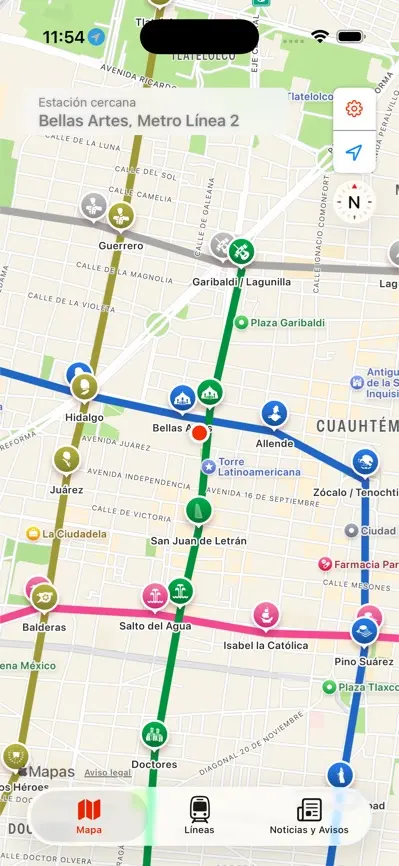
Metro CDMX
Mapa del Metro, Cablebús y Tren Ligero de la Ciudad de México, con la estación más cercana, planeador de rutas y avisos del STC en tiempo real.
-
 iOS · Android
Adboardly
Your AdMob earnings at a glance. Reports go straight from Google to your phone and nowhere else.
-
 iOS
iOS
IDFA Viewer
Find, copy and share your iPhone's advertising identifier in one tap.
-
 iOS
iOS
UNAMaps
Tu guía de Ciudad Universitaria de la UNAM. Mapa interactivo para moverte por el campus sin complicaciones.
Latest writing
all posts →- Published on:Mar 17, 2023swift
Type erasure in Swift
In this article, we'll explore what type erasure is, how it works, and some common use cases for this technique in modern software development.
- Published on:Jan 6, 2023swift
The Singleton Design Pattern
Learn about the Singleton Design Pattern
- Published on:Jun 17, 2021swift
Adding async await support to your current async code base APIs
Learn how to add async/await support to your current APIs
- Published on:Mar 13, 2021ios
Simulate poor internet connection on iOS device or simulator
Sometimes we need to simulate a poor connection or no connection in our iOS simulator. One way to do this is disabling our WiFi from our Mac or device, but what about simulating a 3G, LTE, DSL, edge, etc connection? In this post, I want to share with you some options to do this in both an iOS simulator and a real device.